What are promo codes?
Promo codes are credit or discount codes that Hetzner gives to customers or potential customers. Depending on the type, people can use them for various products or services. The codes might be for cloud credits or promotional offers, for example.
Previously, people could only redeem promo codes via Hetzner Console under the menu item Usage.
Now there is a central interface for this in the User account, where users can manage their promo codes.
Activating promo codes
- Log into your Hetzner account.
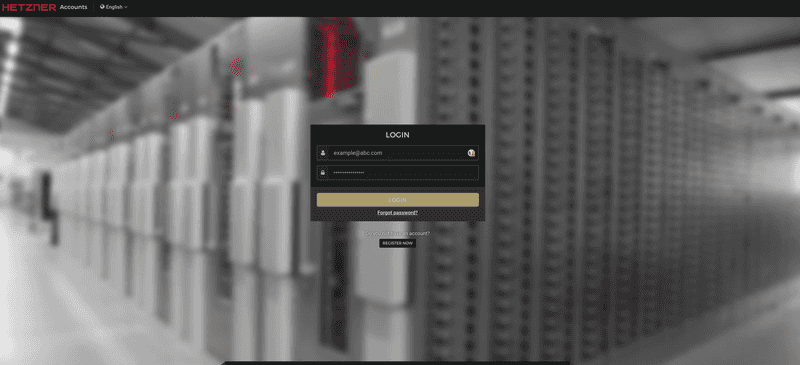
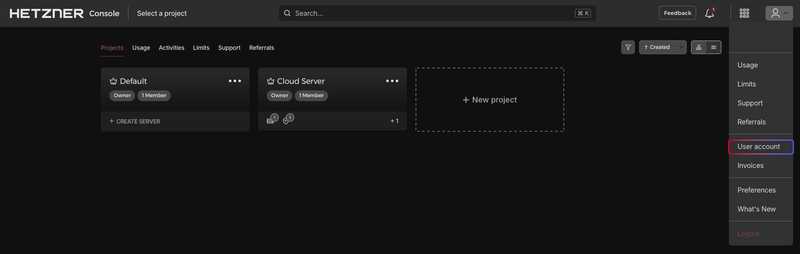
2. Open the User account section in the menu.
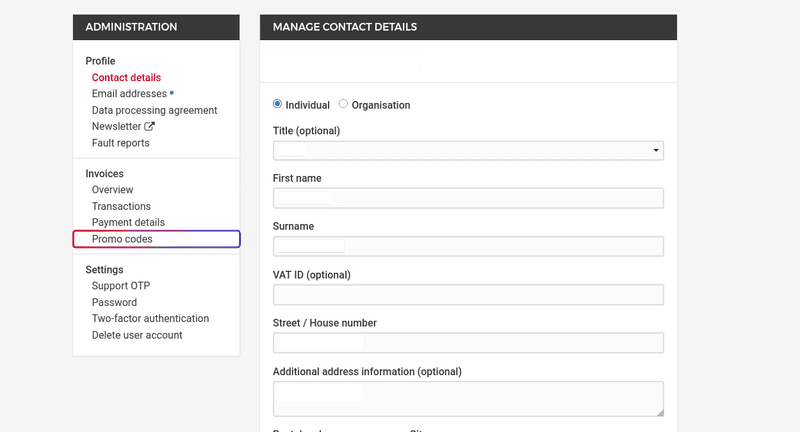
3. Go to Promo codes in the left-hand menu.
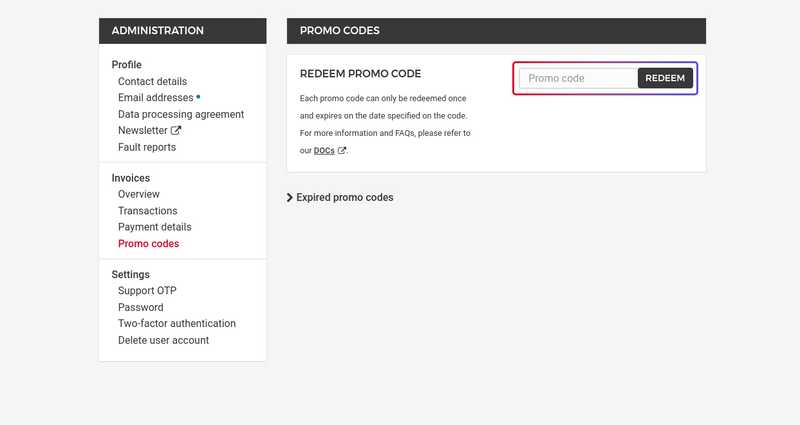
4. Enter the promo code you received in the input field and click on Redeem.
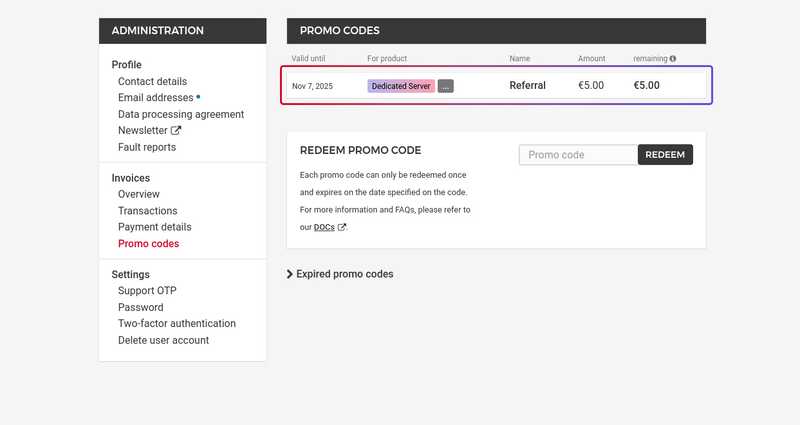
5. The code will then appear in the overview table with all its relevant details.
Manage promo codes
In the promo code interface, you will find an overview table with all your codes. There, you will see:
- Valid until: Expiration date of the code
- For product: Which product the promo code applies to
- Name: The name of the promo code
- Amount: The value of the code
- remaining: The credit still available for the promo code
Note
- The promo code only becomes valid from the current billing period and you cannot use it for the previous billing period.
Example: If you activate a promo code in April, we will not apply it to the March billing period, but only in May for the April billing period.
- In addition to your active promo codes, you can also see any expired promo codes on the bottom. This allows you to keep track of your promo code history at all times.
- Promo codes are always linked to your account and are non-transferable.
Expired codes
Expired promo codes remain visible in the table so that you can track what you have used and when the promo codes were valid until.
Security notice
Since promo codes have monetary value, we strongly recommend activating two-factor authentication (2FA) on your Hetzner account. This ensures that only you can redeem or manage promo codes on your account.
FAQ
Where can I find the new promo code interface?
On your Hetzner account under the menu item Promo codes.
Which codes can I redeem there?
All promo codes from Hetzner, including:
- Hetzner promo codes
- Former cloud credits
How long is a promo code valid?
The validity depends on the code type and is displayed in the table.
Can I use a promo code multiple times?
No, you can only use each code once per account. Important note: You can only redeem EITHER a referral code or a cloud promo code, but not both.
Are expired promo codes deleted?
No, they remain visible on your account so that you can view your history at any time.
Can I pass on promo codes to other customers?
No, promo codes are non-transferable.
Are promo codes automatically applied to my invoices?
Yes, credits or discounts are automatically applied to future invoices.
What happens if I have multiple promo codes active at the same time?
Specific credits are used first (pure cloud credits are used before general Hetzner promo codes for cloud products). Then, credits are applied based on the shortest remaining validity (first in, first out).
Which products can I use my promo code for?
Validity depends on the product categories on our website. For example, Hetzner Cloud promo codes are only valid for products in the Cloud category — cloud servers, volumes, snapshots, and load balancers. Storage promo codes are valid for products in the Storage category – Object Storage, Storage Box, Storage Share. There are also general Hetzner promo codes that apply across all categories for all products on our website.